
How Dentists Show Up When Patients Ask AI
AI tools are changing how patients find dentists. Learn what influences whether your practice appears in AI recommendations and how to improve your visibility.
Read more Dental marketing studio

Patients form impressions of a dental practice long before they speak to anyone on your team. When someone lands on your website or scrolls through your Google Business Profile, the photos they see are doing active work, either building confidence or quietly raising doubts. A gallery that looks outdated, sparse, or carelessly assembled tells a prospective patient something about how the practice operates, even if that impression is unfair.
This is not about vanity. The visual presentation of your practice is a genuine trust signal, and patients use it to answer a very practical question: does this place look like somewhere I would feel comfortable? Getting your photo gallery right is one of the more direct ways to influence that answer without changing anything about your clinical work.
Dental anxiety is common, and a significant share of patients who need care delay it because they are uncertain about what to expect. Photos reduce that uncertainty in a way that written descriptions cannot. A clear image of your reception area, your operatories, and your team tells an anxious patient that the environment is clean, calm, and professional before they have committed to anything.
Your photos also help patients identify with your practice. Someone who sees a team that reflects their community, or a space that feels approachable rather than clinical and cold, is more likely to feel that the practice is meant for someone like them. That sense of fit is a meaningful part of why patients choose one practice over another when the reviews and distance are roughly equal.
A useful gallery is not simply a large gallery. Practices that upload dozens of blurry phone photos do less for patient confidence than a practice with fifteen sharp, well-lit images organized by purpose. Think carefully about what each photo is communicating, not just whether it fills space.
Patients want to know what the building looks like so they can find it and so they know what they are walking into. A clear exterior photo, taken in good light, is genuinely useful. If your building shares a parking lot or a strip mall, show that context. Removing uncertainty about where to go reduces a small but real barrier to booking.
These images do the most to counter dental anxiety. A clean, well-lit waiting room that looks calm rather than institutional tells a nervous patient that the experience is manageable. Avoid photos where the space looks cluttered, dim, or dated. If the waiting area has not been refreshed recently, even small improvements like updated seating or plants make a visible difference in how the photo reads.
You do not need to photograph every piece of equipment. One or two well-composed operatory shots that show a clean, organized treatment room are enough to signal that the practice is modern and attentive to detail. If your practice has invested in technology, a clear image of that equipment is a credible way to communicate it without writing a list of brand names.
Team photos are consistently underused and consistently valuable. A group photo on your About page is standard, but individual headshots or candid images of your team working, or welcoming a patient at the front desk, add warmth that posed group shots alone do not. Patients are choosing people as much as they are choosing a practice, and putting faces to names early in the decision process builds familiarity before the first appointment.
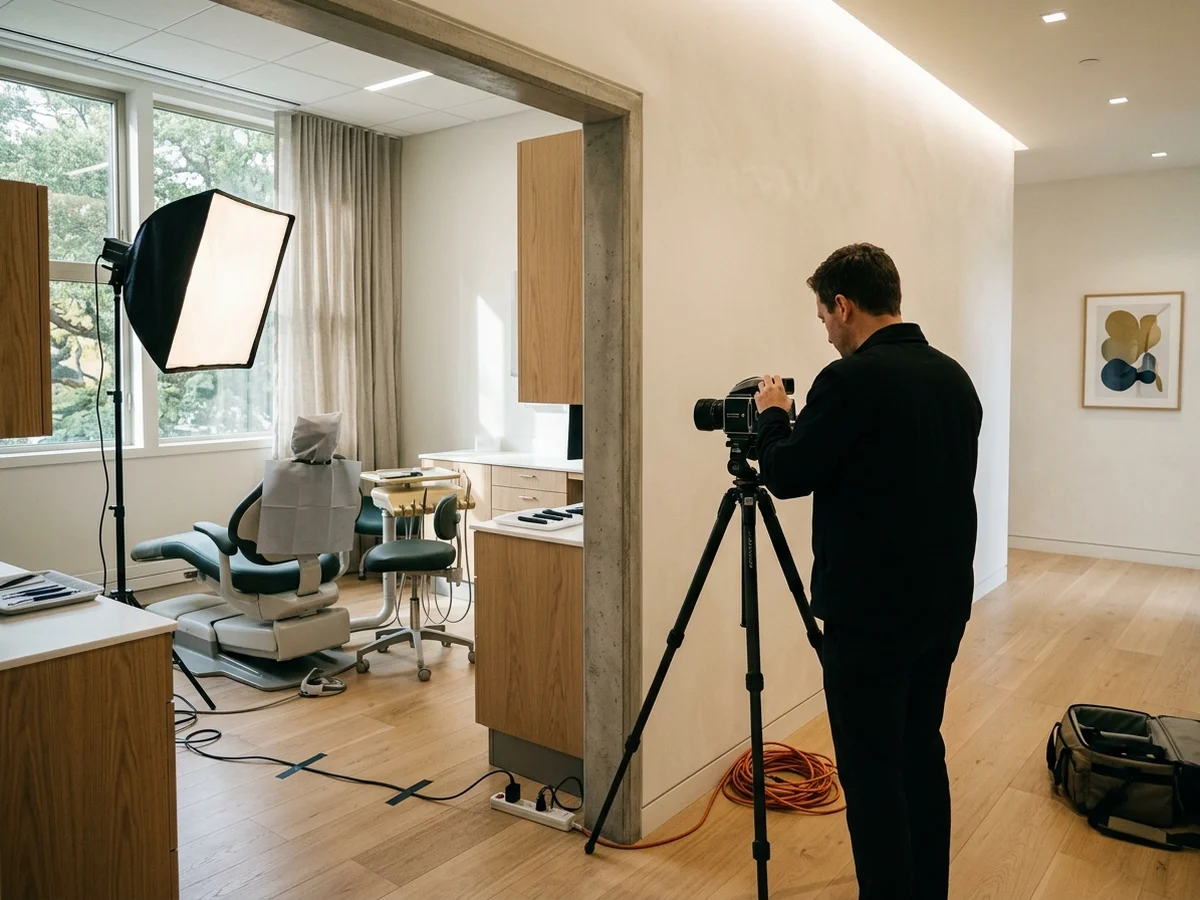
Dark photos, motion blur, and images taken at unflattering angles work against you even when the underlying space is excellent. Professional photography is worth the investment for your core gallery, specifically the exterior, the reception area, and your team. For ongoing content, a modern smartphone in good natural light can produce acceptable results if you take the time to frame the shot properly and avoid harsh overhead lighting.
File size also matters. Large, uncompressed image files slow your pages down, which affects both user experience and how search engines evaluate your site. Compress images before uploading so they load quickly without visible quality loss.
A single gallery page buried in your navigation is not enough. Photos should appear throughout your site on the pages where patients are making decisions. Your homepage benefits from at least one strong image of your space or team. Service pages benefit from images that are relevant to that service, whether that is a photo of your hygiene room for a cleaning page or a close-up of a smile for a cosmetic page. Your Google Business Profile supports photos directly, and keeping that profile populated with current, quality images is widely believed to support your visibility in local search, though Google has not confirmed the exact weight given to photo activity.
On your Google Business Profile specifically, prioritize your exterior, your interior, and at least one clear team photo. Patients viewing your listing are often comparing you to nearby practices in the same moment, and a listing with current, clear photos is more likely to earn a click than one with a single outdated image or none at all.
A gallery that clearly has not been updated in years signals stagnation, even when the practice itself is thriving. If your team has changed, update the team photos. If you have moved or renovated, replace the old images. Keeping the profile visibly active this way tends to correlate with stronger engagement, even without a confirmed ranking mechanism behind it.
Clinical before-and-after photos belong on relevant service pages, where they are seen in the right context and where patients are already thinking about that specific treatment. Placing them in a general gallery without that context makes them harder for patients to interpret and can feel jarring alongside images of your team and waiting room. Keep them where they are most persuasive.
There is no single correct cadence, but adding a small number of photos across the year keeps your profile looking active. At minimum, update photos whenever your physical space changes, your team changes, or your existing images are more than two years old. Stale photos can mislead patients and undermine the confidence your listing is trying to build.
Volume without curation does create a problem. A large gallery filled with low-quality or redundant images makes it harder for patients to find the images that actually matter. It also signals that no one is making editorial decisions about the practice's presentation. A smaller, well-chosen set of images will almost always serve patients better than an exhaustive archive of every photo ever taken.
For your core website images, professional photography is worth the cost. A photographer experienced with commercial interiors will handle lighting conditions that are genuinely difficult to manage with a phone camera, particularly in spaces with mixed natural and overhead light. Once those foundational images are in place, a careful phone photographer can handle supplementary and ongoing content.
AI tools are changing how patients find dentists. Learn what influences whether your practice appears in AI recommendations and how to improve your visibility.
Read more
Learn exactly what content your dental practice website needs to earn higher Google rankings and attract more new patients every month.
Read more
Fifteen minutes is enough for us to show you how many patients are searching in your area and what it would take to reach them.